SHEET 01 · HOME EN REV. 2026.05 PROFESSIONAL TOOL · COURSE DESIGNERS
● obstaclestudio

Design.
Share in 3D.
Keep for life.

ObstacleStudio is the show jumping course design software for course designers. It manages your courses, the obstacle park and the arenas of each organiser, and publication to riders — everything coexists in a single space, on all your devices.

// 30-day free trial · no credit card · no commitment
FIG. 01 — Course editor default view
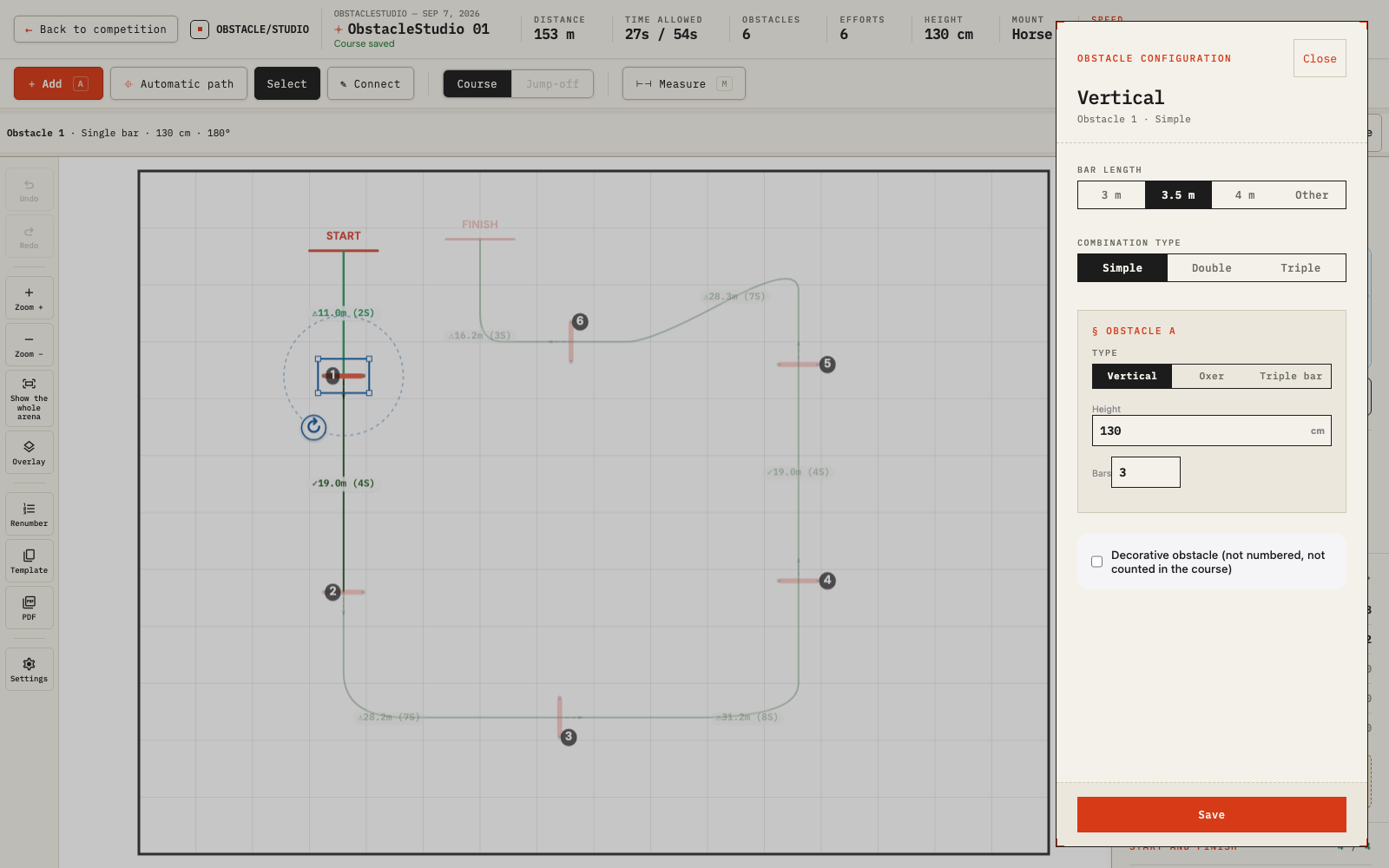
ObstacleStudio course editor
FIG. 01 · editor
Designing a course · oxer being configured
§ 01 · VALUE

What ObstacleStudio brings you.

3 benefits · 1 tool
V.01
for life

A permanent archive.

Every saved course remains yours, for life. You build your own reference library season after season.

V.02
multi-device

Accessible from anywhere.

You work on your tablet at the ringside, your computer at home, your phone in the car. Your courses follow you everywhere.

V.03
creativity

So you don't repeat yourself.

Browse your past courses before designing the next one. What did you propose last year on this arena, for this category? You see where you come from, you avoid repetition, you keep your signature.

§ 02 · ECOSYSTEM

Much more than a course editor.

4 modules · 1 tool
FIG. 02 — Obstacle park inventory per organiser
Obstacle park
FIG. 02 · park
The organiser's equipment, tracked in real time
01 park / organiser

One obstacle park per organiser.

The first time, you record the equipment provided by the organiser. The next time at the same venue, your park is already there. Every pole, wing and filler is tracked across every class of the weekend: you know before the show whether you have enough to build the triple.

02 arenas / venue

Arenas saved once and for all.

Dimensions, background image, jury position, entrance. When you return to the same organiser, everything is still there. Nothing to re-enter.

03 show / weekend

Complete shows.

A whole weekend in a single space: ten classes, several arenas, one park shared between them. Everything consistent, nothing duplicated.

04 publication / riders

Beyond the notice board.

Publish your class in one click. Riders scan a QR code and view your course on their phone. After the course walk, they can review it, memorise it, ride it in 3D to picture it better.

§ 03 · LIVE

See what riders saw on their phone.

// real classes · real courses

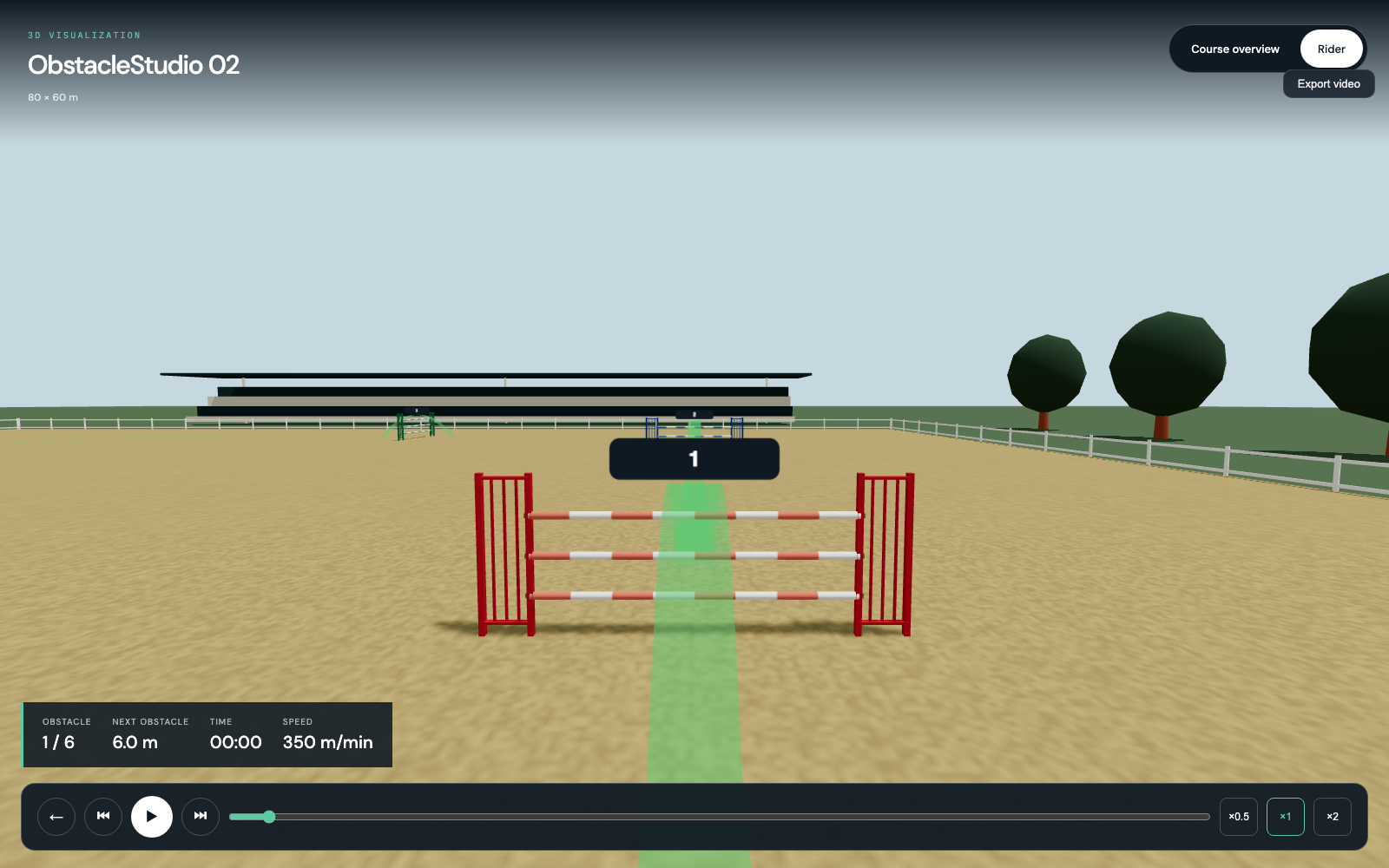
Publish your courses online. Riders view them on their phone after the course walk, and can ride them in 3D to memorise them better before mounting.

$ view --live
3D Course Walk
FIG. 03 · rider view
3D view · what the rider sees
● rider view
§ 04 · USAGE

How it's used.

two profiles · one tool
U.01 · THE REGULAR

If you prepare the whole season.

You work fifteen shows a year. For the next one, you find again the organiser you've already been to: their arena, their obstacle park, your past courses there. You look at what you proposed last year. Not to copy it — to do otherwise. You spot the approaches you've already used a lot, the curves you want to vary, the progressive difficulty of your season. Your archive is your safeguard against repetition, and your source of fresh ideas.

U.02 · THE OCCASIONAL

If you're preparing a single show.

The show is in a few days. You take the 7-day subscription. You design at home, take your tablet to the ring, adjust on site in the morning. The course is saved for life. You'll come back to it before your next show, for inspiration.

§ 05 · PRICING

Choose your plan. No surprises.

EUR · incl. tax
TRIAL

Free

0
  • +10 drafts
  • +30 days of access
  • +PDF export (with watermark)
  • No cloud save
  • No publication
RECOMMENDED

Annual

149€ / year
  • +Your whole season in a single tool
  • +Obstacle park per organiser
  • +Arenas per venue, remembered
  • +Past courses accessible at any time
  • +Tablet ↔ computer sync
  • +Publication to riders · QR code · 3D

Live publication, 3D for riders: you offer a modern service. You charge €15 more because you're worth it. One day at a show pays for your year.

ONE-OFF

Weekly

15€ / 7 days
  • +For a single show within the week
  • +Create and save for life
  • +Publication and 3D included for 7 days
§ 06 · FAQ

Frequently
asked.

// 5 entries · upd. 2026.05

Q.01What happens to my courses if I stop paying?

They remain readable for life. You only pay again when you want to edit or create.

Q.02Which devices does it work on?

Any web browser. Touch-optimised for tablet use at the ringside.

Q.03Is my data private?

Yes. Only you have access, unless you choose to publish a course.

Q.04How long to build my first course?

Count on ten to twenty minutes for a first full track.

Q.05Can I import an existing obstacle park?

Yes, as JSON. Useful when the organiser already provides their equipment inventory in a usable format.

§ 07 · LAUNCH

Start for free.

You get ten drafts and thirty days of access. No credit card, no commitment.

// no card · no commitment